


Updated December 1, 2025 | 16 min read
Your support team is drowning in Slack messages, email threads, and spreadsheet trackers while customers wait for answers. And when a customer reaches out about an issue, your team spends more time hunting for context than actually solving problems.
Helpdesk software centralizes all your customer support requests into one platform where your team can track, manage, and resolve issues across every channel.
This guide walks you through what helpdesk software actually does, which features matter for B2B teams, and how to choose a platform that connects your support operations to customer retention.
Helpdesk software is a centralized platform that manages customer support requests across multiple channels—email, chat, Slack, Teams, and web forms. It turns scattered conversations into trackable tickets your team can manage from one place.
Instead of digging through email threads, Slack DMs, and spreadsheets to find customer issues, everyone on your support team sees the same information in real time.
At its core, helpdesk software logs customer messages as tickets, routes them to the right team member, tracks their status from open to resolved, and lets your team respond across channels from one interface.
Every customer question becomes a trackable request with a unique ID, priority level, and status. Tickets automatically go to the right person based on rules you set, like routing API issues to technical support or migration questions to solutions engineering.
Managing support across scattered tools creates blind spots where your support and success teams can't see full customer context. One team member might be helping a customer via email while another answers the same question in Slack, which duplicates work and confuses the customer.
A unified helpdesk platform surfaces all these conversations in one place, so your team knows exactly what's happening with each account.
Teams using helpdesk software respond faster because they're not hunting for context across different platforms. You'll reduce duplicate work, because everyone sees how you’ve helped specific customers and resolved issues in the past.
Better support quality directly impacts customer retention, especially in B2B where one frustrated user can influence an entire account's renewal decision.

Not all helpdesk platforms include the same capabilities, so you'll want to check carefully during your evaluation.
Here are the features that separate basic ticketing systems from platforms built for modern B2B support teams.
Omnichannel means supporting customers wherever they reach out (email, live chat, Slack, Microsoft Teams, or web forms) with all conversations appearing in one unified view.
B2B customers expect to get help in their preferred channels, not yours. So true omnichannel platforms treat Slack and Teams as native support channels instead of limited integrations.
AI agents can automatically respond to common support questions without your team’s intervention.
Automation can handle ticket routing, tagging, prioritization, and follow-ups to reduce the busywork that slows down your team. This frees up team members to focus on complex issues that actually require human judgment.
When multiple team members work on the same customer issue, internal comments and @mentions keep everyone coordinated without cluttering the customer-facing conversation.
You might need to loop in engineering for a bug report or ask your success team about an account's renewal status. All of this happens inside the ticket.
Seeing past interactions, account details, and customer health data alongside support tickets prevents your team from repeating themselves when they respond to issues.
Your team can reference previous conversations, understand the account's history, and provide personalized support that acknowledges the relationship.
Dashboards tracking team performance, ticket volume, resolution times, and customer satisfaction help managers spot bottlenecks and improve support operations. You'll see which team members handle the most tickets, which types of issues take longest to resolve, and where customers are most satisfied or frustrated.
Connecting your helpdesk to other tools prevents data silos and manual copying between systems. The most valuable integrations connect to customer data platforms and CRMs like Salesforce, or communication tools like Slack and Teams.
There are many types of helpdesk software, depending on the support scenario. Understanding these categories helps you identify which one matches your team's actual needs.
Customer-facing helpdesk software focuses on post-sales support, onboarding, troubleshooting, and retention.
For B2B teams, this means account-level tracking instead of just individual ticket tracking. You want to see all support activity for a company, not just one user.
Enterprise service desk software serves large organizations with complex workflows, compliance requirements, and multiple departments using the same platform.
These systems offer robust permissions, audit trails, and customization options, though they often require longer implementation timelines and dedicated administrators.
Some platforms are built specifically for B2B post-sales teams that unify support and customer success. These connect support tickets to account health scores, churn risk indicators, and retention efforts, so your support data informs how you drive renewals and your customer success context improves support quality.
Choosing the wrong platform creates migration headaches later, so it’s important to thoroughly evaluate different tools. Here's a step-by-step process for finding the right fit.
Document how support requests arrive today, who handles them, and what tools you're currently using. Identify specific pain points: maybe requests get lost in Slack, or your team wastes time searching for customer context, or you can't track which accounts need the most support.
Prioritize features based on your team's actual needs instead of getting distracted by flashy capabilities you won't use. If your customers primarily reach out via Slack, native Slack support is a must-have. If you rarely get phone calls, phone integration is a nice-to-have at best.
Check whether helpdesk platforms integrate with tools your team uses daily, like your CRM or communication platforms. Poor integrations create data silos where information lives in separate systems that don't talk to each other.
Look beyond the advertised per-seat pricing to understand total cost. Some vendors charge extra for integrations, advanced features, or migration assistance. Others increase per-seat fees as you grow. Factor in implementation time, training costs, and potential productivity dips during transition.
Run trials with actual support tickets and team workflows instead of just watching demos. Test edge cases and complex scenarios, like what happens when a ticket needs input from multiple teams, or how the platform handles a customer reaching out across three different channels about the same issue.
Check for SOC 2 compliance, GDPR readiness, data encryption, and access controls. These are especially important when you're handling customer data. B2B customers increasingly ask about your security practices, and your helpdesk platform is part of that picture.
Here's a curated list of platform types worth evaluating, organized by use case and key strengths.
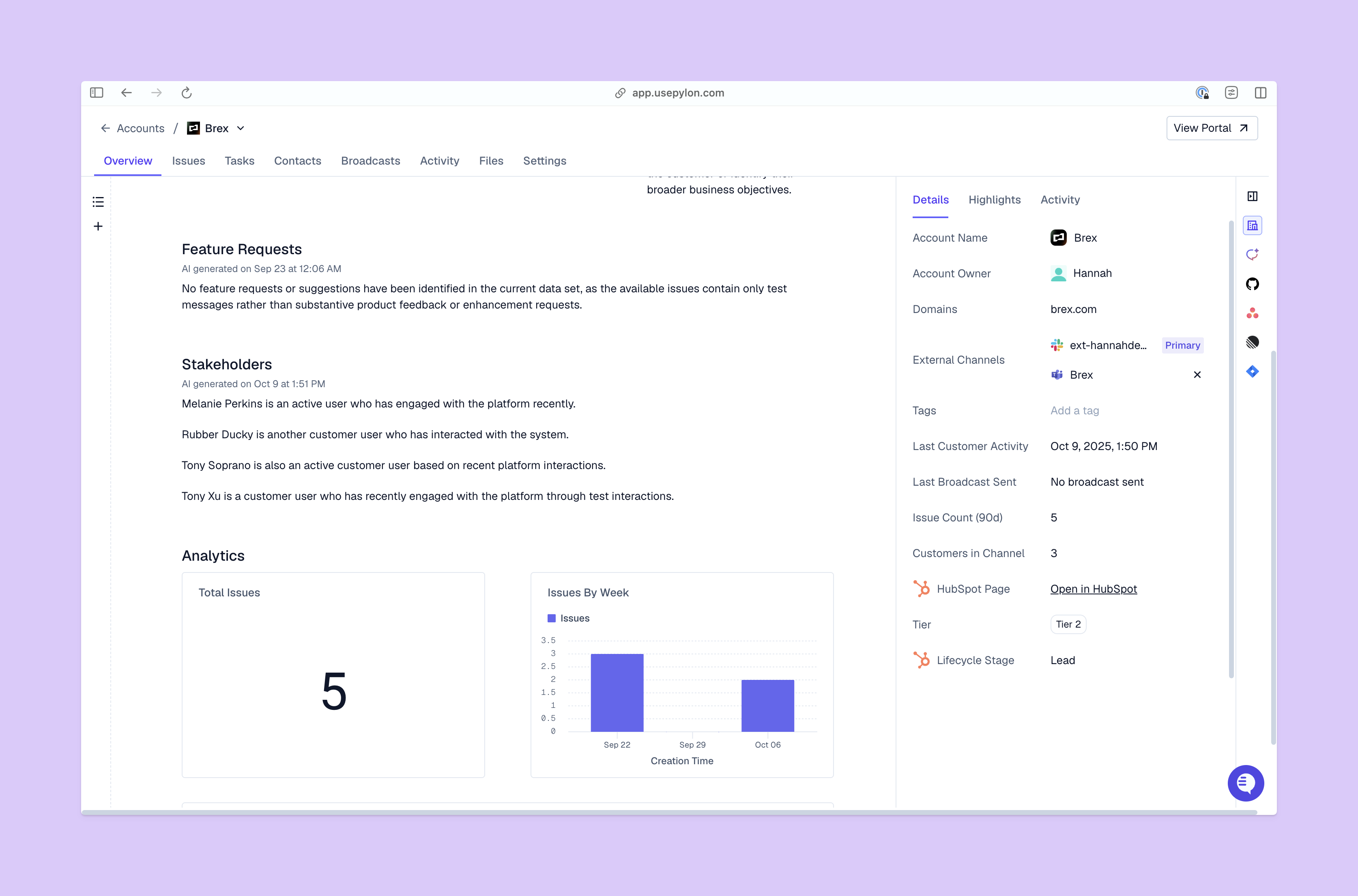
Platforms in this category natively support Slack, Teams, email, chat, and ticket forms in one unified interface. Pylon is built specifically for B2B teams that need support and success in one platform, with Account Intelligence that uses your support data to inform signals like health scores and churn risk.
Look for platforms that scale with growing teams and offer flexible pricing as you add more team members. These systems balance robust features with reasonable complexity, so you're not paying for enterprise capabilities you won't use for years. Consider platforms like Pylon or HelpScout.
Enterprise platforms serve large organizations with complex requirements, multiple departments, strict compliance needs, and hundreds of support team members. These systems offer extensive customization, robust permissions, audit trails, and dedicated account management, though they can come with longer implementation timelines and higher price tags. Consider platforms like Pylon, Zendesk, or Salesforce Service Cloud.
Understanding common pricing structures helps you compare costs accurately across vendors. The cheapest option isn't always the best value.
Most vendors gate features behind pricing tiers: basic plans might exclude automation, advanced analytics, or key integrations. Check whether essential features for your team require expensive plans. Sometimes a mid-tier plan from one vendor offers better value than a basic plan from another, even at the same price point.
Estimate time savings from automation, efficiency gains from unified workflows, and retention improvements from better support quality. If your team currently spends five hours per week hunting for customer context, and helpdesk software eliminates that, you're saving 260 hours per year per team member.
Implementation determines whether your team actually adopts the new platform or resists it. Here's how to roll out your helpdesk software smoothly.
Clean up existing support data before migrating. Decide which historical tickets to transfer, archive outdated information, and organize customer records. Migrating messy data just moves the mess to a new system.
Start with a pilot team or specific support channel instead of switching everything at once. You might begin with email support while keeping Slack support in the old system, or have your most tech-savvy team members test the platform first.
Create documentation showing how to handle common workflows, run hands-on training sessions where team members practice with real scenarios, and designate power users who can help teammates. Training isn't a one-time event: plan for ongoing support as team members discover new features and edge cases.
Configure ticket routing, auto-responses, tagging rules, and escalation workflows after basic setup is complete. Start simple with a few automation rules, then add more as your team gets comfortable.
Track performance to ensure your helpdesk software investment delivers results. Here are the metrics that matter most for B2B support teams.
First response time measures how quickly your team sends the first reply after a ticket arrives. Time to resolution tracks how long it takes to fully solve the customer's issue. Both metrics directly impact customer satisfaction: B2B customers expect timely responses, even if the full solution takes longer.
CSAT surveys collect feedback after ticket resolution, typically asking customers to rate their support experience on a simple scale. This data helps you identify which team members excel at support, which types of issues frustrate customers, and where your support quality is improving or declining.
Track tickets handled per team member and time spent per ticket to spot workload imbalances and training needs. If one team member takes twice as long to resolve tickets as others, they might need additional training or be handling disproportionately complex issues.
Connect support data to customer retention, especially in B2B where support quality directly impacts renewals. Accounts requiring excessive support might be a signal of product issues or poor onboarding.
Tools like Pylon’s Account Intelligence use context from support interactions to automatically flag at-risk accounts, calculate health scores, or track customer sentiment. Book a demo with Pylon to explore how Account Intelligence unifies your support data with your retention strategy.
Helpdesk software manages support tickets and customer service interactions after the sale, while CRM software tracks sales pipelines and customer relationships before and during the sale.
Implementation timelines range from a few days for simple setups to several weeks for enterprise deployments with complex integrations and data migration.
Modern omnichannel platforms support Slack, Microsoft Teams, email, chat, and web forms. They log all messages as tickets that your team can manage from one interface.
Pricing varies widely based on team size, features, and vendor, with options ranging from free plans for small teams to enterprise contracts costing thousands per month for large organizations.
Most vendors offer migration assistance to transfer historical tickets, customer data, and configurations, though you'll want to plan for data cleanup and team training during the transition.
Helpdesk software centralizes support, improves team efficiency, and enhances customer experience by replacing scattered tools with one unified platform. The right platform unifies your support and success teams around shared customer context, so support tickets inform retention strategy and customer success insights improve support quality.
Pylon is the modern B2B support platform that offers true omnichannel support across Slack, Teams, email, chat, ticket forms, and more. Our AI Agents & Assistants automate busywork and reduce response times. Plus, with Account Intelligence that unifies scattered customer signals to calculate health scores and identify churn risk, we're built for customer success at scale.
Pylon Workforce Management is available now. See it in action with a live demo.




