


Updated January 6, 2025 | 17 min read
If your support team is always responding to the same kinds of issues or running into manual bottlenecks in their workflows, it's time to look for tools that can help. AI customer support software automates routine customer requests, accelerates internal tasks, and gives you time to focus on personalizing support for every account.
This guide covers how AI customer service works, which features matter most for B2B teams, and how to choose a platform that scales with your company.
AI customer support software automates your team's customer service workflows. The platform reads incoming customer requests, figures out what accounts need, and either answers directly or helps your support team members respond faster.
Here's what makes it different from traditional help desk software: AI customer support tools use natural language processing (a technology that can understand everyday language) and machine learning (a system that improves from patterns in data) to handle conversations without requiring someone to manually route every ticket or write every response.
AI can typically work across all the channels your customers already use — like email, chat, Slack, Microsoft Teams, and more. Instead of switching between different tools for each platform, everything lives in one place where your team can see full conversation history and spot patterns across your customer base.
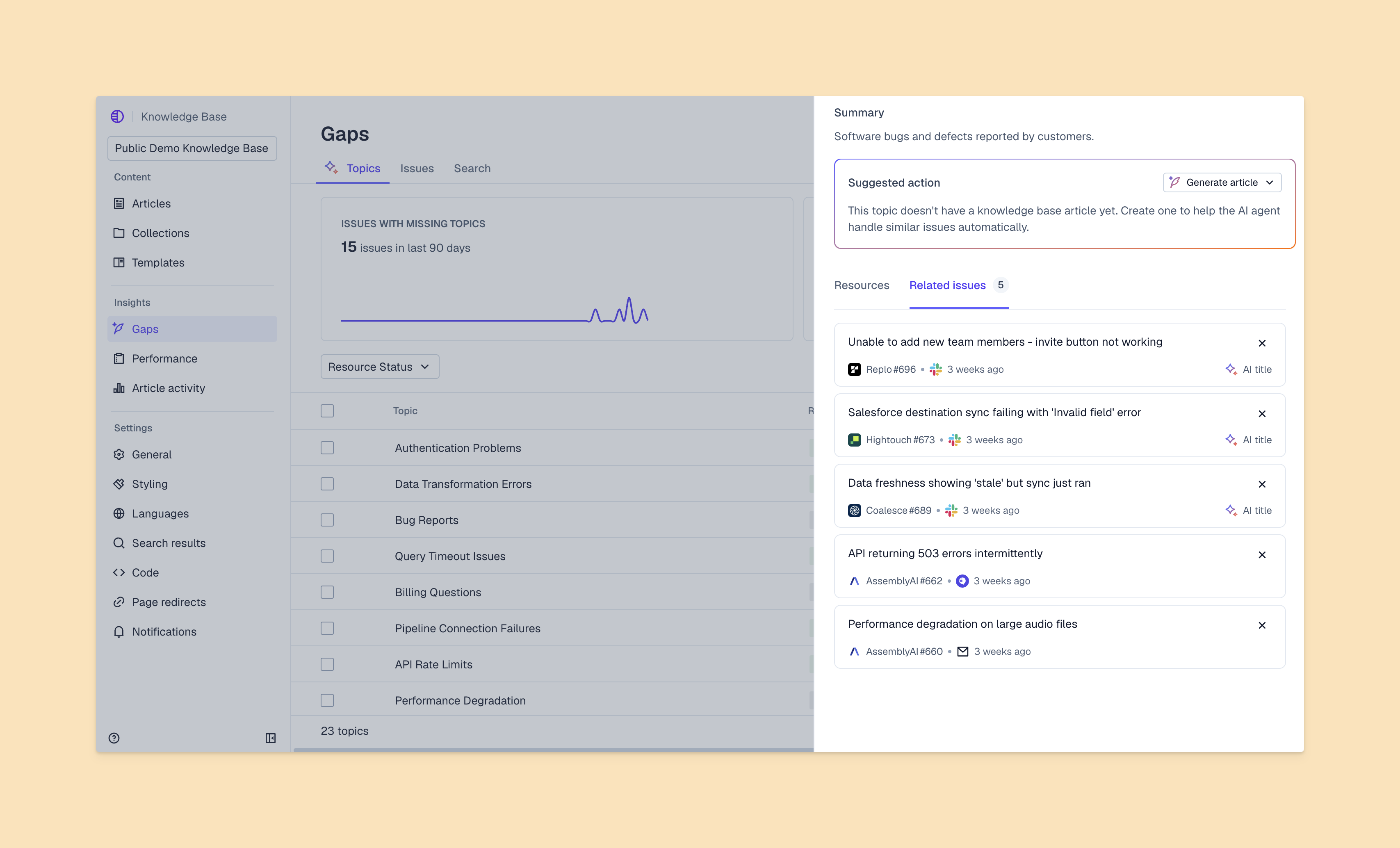
When customers contact support, AI reads it and identifies what they're asking for. The system analyzes issue content to understand the customer's intent: Are they reporting a bug, asking about a feature, or requesting access to something?
Once AI understands the request, it decides how to handle it. For straightforward questions, an AI agent can respond directly using information from your knowledge base and past support interactions. For complex issues, it might gather more information from the customer before routing the conversation to your team.
But there are many different types of AI for customer service. Here are just a few of the AI tools you might encounter for B2B support.
AI agents handle entire customer conversations from start to finish, without support teams getting involved. They can answer customer questions, troubleshoot problems, and complete tasks like updating account information.
You'll typically use AI agents for high-volume requests where answers are relatively straightforward. Think FAQ questions, status updates, or basic troubleshooting steps. AI agents can respond to issues 24/7, providing coverage when your support team is offline, or help handle spikes in ticket volume.
AI assistants work alongside your support team to accelerate back-office workflows. For example, they draft issue responses, gather relevant account context, and automate busywork like tagging tickets. In platforms like Pylon, AI assistants can also help with complex workflows including:
Your team still makes final decisions about issue responses, help center content, or feature request tracking. But AI handles the tedious parts — searching through documentation, compiling account data, or writing first drafts from scratch.
AI assistants can also help with predictive intelligence at the account level: They survey customer data (like support tickets, usage metrics, and engagement scores) to forecast churn risk, identify upsell opportunities, and calculate health scores. This helps B2B post-sales teams catch larger issues early, and proactively reach out to accounts who need support.
If you implement the right AI tools for your workflows, you should see significant improvements across your support operations. Here are some of the benefits for B2B support teams:
Many support platforms offer tons of AI features for different workflows — but it's important to choose a platform that covers your core support needs first. Here are some essential features to look for when you're evaluating platforms.
Your customers don't all reach out from the same channel. Some prefer Slack or ticket forms, others are used to email and live chat — and so on. For B2B teams, AI customer service software should unify all these conversations into one interface, so you can easily manage support across channels.
This means you don't have to constantly switch between tools or manually monitor message threads.
AI can analyze the word choice, punctuation, and phrasing in customer messages to identify sentiment. When it detects a customer who's upset or unsatisfied with your product or service, AI can flag this to your team.
This allows you to support customers proactively and catch larger issues before they lead to churn.
AI should be able to pull information from existing documentation, help center articles, or internal wikis to answer customer requests. You don't have to maintain a separate database to train AI agents, and AI can help automatically update your knowledge content.
AI automates repetitive tasks that eat up your team's time: categorizing tickets, updating custom fields, creating meeting follow-ups, and sending confirmation emails. Your support team members can focus on complex issues and building relationships with customers — not manual data entry.
AI tracks support metrics and surfaces insights about team performance, common customer issues, and resolution patterns. You can see which topics generate the most tickets, track how team members are handling issues, and identify where bottlenecks slow down response times.
Support platforms offer many different AI tools for B2B teams. We've created a structure framework to identify your team's needs and evaluate your options.
Start by identifying what you're trying to achieve. Do you want to reduce response times? Handle more volume with your current team size? Improve answer quality? Spot at-risk accounts earlier?
Your goals will determine which AI features matter most. If you're drowning in repetitive questions, you should prioritize conversational AI agents. If much of your time is spent constantly switching between tools and manually compiling customer context, you should look into AI copilots for support teams.
Check which channels and tools you need your AI support platform to connect with. If your customers primarily reach out through Slack, you need native Slack support. If you want to include product usage data in account health scoring, you might want a platform with data warehouse integrations.
Remember to consider the rest of your tech stack. For example, if you use product ticketing software to share feature requests with the product team, you'll want integrations with Linear, Jira, or Shortcut.
For every AI support platform you try, test the quality of AI responses by running sample conversations. Evaluate how the system handles edge cases, understand what its accuracy rate is, and see if you can train it to handle your specific use cases.
AI capabilities vary from platform to platform. Some systems use generic language models that give vague answers. Others let you train AI on your own documentation and support interactions to provide more accurate, contextual responses.
Make sure the platform can grow with your team. Can it handle 10x your current conversation volume? Does pricing scale reasonably as you add team members or increase usage?
You don't want to outgrow your software in 6 months. Look for platforms that are built to support companies at your stage and beyond.
Estimate the time your team will save and translate that into cost reduction. If AI handles 40% of your tickets and each ticket takes 10 minutes, how many hours does that free up for your team each month?
Compare that against the platform's cost to understand the ROI for your team. And remember to factor in implementation time and training costs.
If you're starting to evaluate different tools in the AI customer support landscape, here are a few categories of platforms to look into. Each one serves slightly different needs.
Platforms like Pylon are AI-native and specifically built for B2B post-sales teams. Besides offering omnichannel support and tools to track account-level signals (like customer health or churn risk), Pylon's AI accelerates advanced workflows like:
Pylon also pulls all your customer data into one system (from support tickets to usage data to call recordings) so your entire post-sales team can live in the same platform. This is especially important for B2B, where support isn't just about resolving individual issues — teams need to act on account-level signals to build long-term customer relationships and retain accounts.

Legacy, large-scale solutions like Salesforce Service Cloud and Zendesk offer extensive features and deep customization. They're built for companies that have particularly complex support requirements and have the resources for dedicated implementation teams.
But there's a tradeoff with these legacy tools. Besides long implementation timelines, steeper learning curves, and the need for internal technical resources, many older platforms have clunkier AI that's bolted on to their core system.
With legacy tools, some teams have trouble natively configuring the AI workflows they need.
Like Zendesk and Salesforce Service Cloud, help desks like Freshdesk and Help Scout have added on AI features to their existing platforms. These tools work well if you're already using them as your support system and want to layer in automation without switching tools — but they may not support as many advanced AI workflows and capabilities.
To successfully implement AI customer service software, you'll want to plan the different steps to your rollout. Here's how it could work for your team.
Create an implementation timeline with specific milestones: integration setup, knowledge base configuration, pilot testing, and full team rollout. Identify a small group of pilot users who will test the system first and provide feedback before you expand to the entire team.
Set clear success criteria upfront. What metrics will tell you the implementation is working? First response time? Resolution rate? Customer satisfaction scores?
Let your team members time adapt to working alongside AI tools. Show them when to let AI handle requests, and when to intervene. Run practice scenarios where they review AI-generated responses and decide how to make edits.
The goal is building trust in the system. Your team won't adopt AI tools or workflows if they're constantly second-guessing its responses and worrying about mistakes.
Configure AI workflows by defining escalation rules, customizing response templates, and mapping common requests to specific actions. Start with your highest-volume, most straightforward use cases — like routing questions about your products or API.
Expand to more complex scenarios once you've validated thatAI handles simple cases well. You're building confidence incrementally instead of trying to automate everything at once.
Track AI accuracy, customer satisfaction scores, and team adoption during the first 90 days. If customers aren't satisfied with AI responses, dig into which types of questions the system is struggling with.
Adjust your knowledge base or escalation rules based on what you learn. AI gets better over time, but only if you're actively monitoring performance and making improvements.
Once you've implemented AI tools and workflows on your support team, here are a few ways you can quantify their business impact.
Focus on these KPIs to understand how AI is performing:
Track these metrics before and after implementation so you can measure the actual change.
Measure the time your team saves by tracking how many tickets AI handles and multiplying by your average handling time. If AI resolves 500 tickets per month that would've taken 10 minutes each, that's 83 hours saved.
Multiply that by the hourly costs of your support operations — then compare that to the platform's monthly cost to calculate your ROI.
Look beyond efficiency to evaluate improvements in customer experience. Are retention rates improving, now that your team can focus on providing high-touch support? Are customers upgrading or expanding their accounts more frequently? Are health scores trending upward?
It's important that AI customer support tools save your team time, but it's just as important that it ultimately helps customers succeed with your product. Customer impact is what drives long-term business results.
AI customer service solutions use context from past conversations, account history, and integrated data sources to understand complex requests. When there are scenarios AI can't handle (like custom implementation questions or pricing negotiations), the system escalates to your support team members with full context.
AI agents work autonomously to resolve customer issues end-to-end without human involvement. AI assistants (sometimes called AI copilots or support copilots) help your team by drafting responses, surfacing relevant account context, and automating busywork.
Some AI customer service software includes confidence thresholds, so you can prevent the system from responding when it's uncertain about the answer. You can also make sure to train AI on trusted sources like your knowledge base and documentation — or, start by reviewing all AI responses before sending them out to make sure you're confident in the quality.
Modern AI support platforms like Pylon have native integrations with Slack and Teams. Conversations from both of these channels automatically flow into your support system, so your team can respond to all customers issues from one place.
AI customer support software can accelerate your team's workflows by automating repetitive tasks, fielding customer requests, and automating manual processes. When the teams choose the right platform for their use cases and plan the rollout well, they work faster and provide a better customer experience.
Pylon is the modern B2B support platform that offers true omnichannel support across Slack, Teams, email, chat, ticket forms, and more. Our AI Agents & Assistants automate busywork and reduce response times. Plus, with Account Intelligence that unifies scattered customer signals to calculate health scores and identify churn risk, we're built for customer success at scale.
Pylon Workforce Management is available now. See it in action with a live demo.




