


Updated January 5, 2025 | 14 min read
A customer sends a complex request in German, but your support team only speaks English. By the time you've figured out what they need, they've already escalated to their account manager — or worse, started evaluating competitors who can provide specialized support.
Real-time translation tools can help support teams overcome language barriers with their customers, but the best multilingual support platforms go even further than that. We'll walk through language features that actually matter for B2B teams, compare the top 8 platforms, and show you how to choose one that scales with your global customer base growth.
Multilingual support software helps B2B teams communicate with customers in their native or preferred languages. They typically can translate messages from Slack, Teams, email, chat, or any other customer channels in real-time.
The best tools also combine AI-powered translation with automatic language detection and multilingual knowledge bases, so customers get a seamless experience across every touchpoint.
When you're evaluating platforms, here are a few core capabilities that separate basic translation tools from systems actually built for global B2B support.
With AI translation, messages get translated instantly as you're talking to customers. There are no delays and no need for teams to manually copy text into translation tools.
For technical support, look for tools that can accurately interpret and translate complex problems. This will determine whether your team can actually solve issues across languages or just hold basic exchanges.
Many B2B customers these days prefer to communicate through modern channels like Slack Connect or Microsoft Teams. Platforms that combine native omnichannel support with AI translation allow customers to get help where they already work.
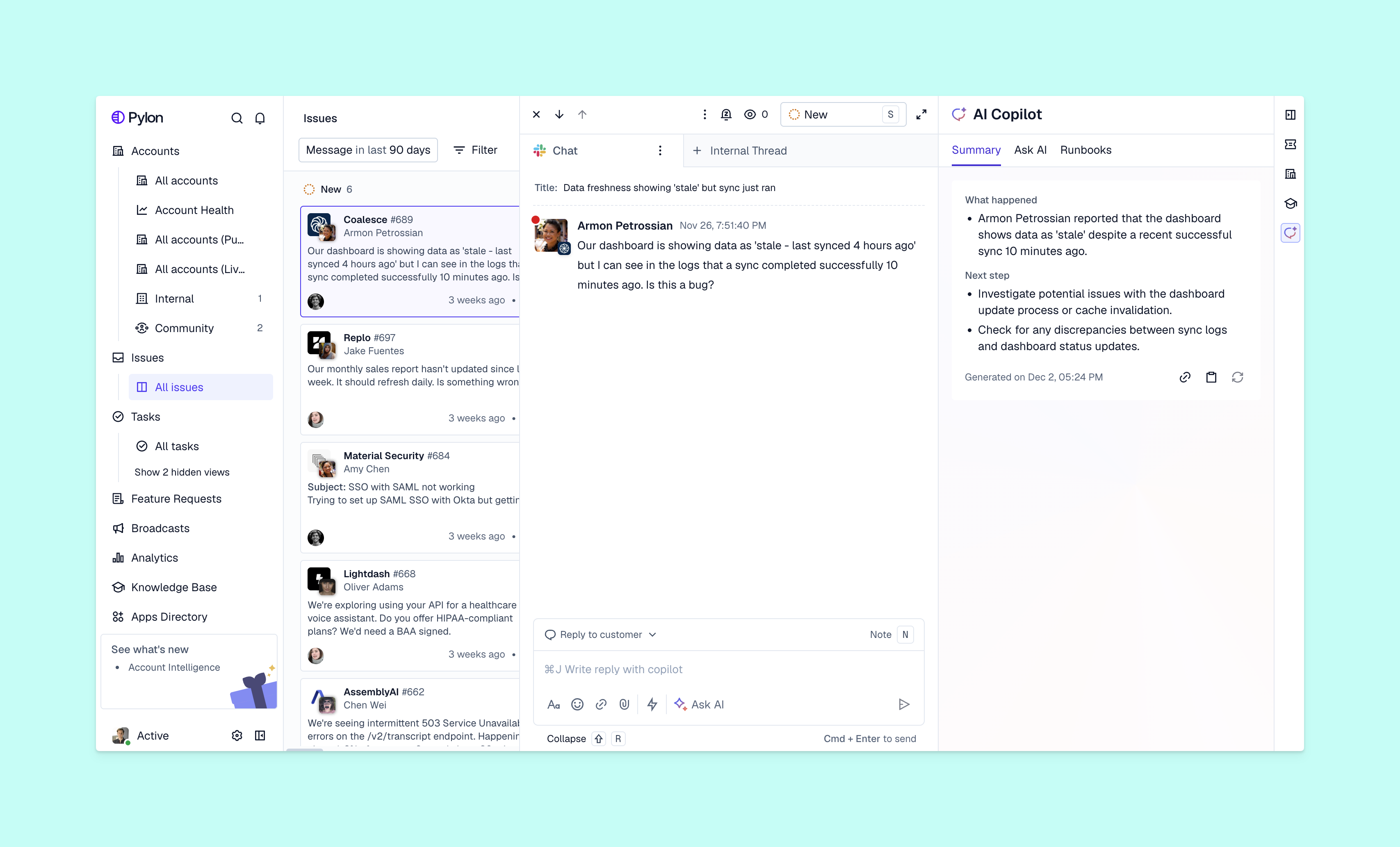
These platforms can translate incoming messages from any channel. If one customer messages in German in Slack, but another sends a Teams message in Spanish, your support platform should automatically translate both tickets to English for your team.
AI agents can autonomously handle support tasks like answering common questions, categorizing issues, or routing conversations to the right team member. And even when AI can auto-translate issues, you still might want to route particularly complex problems to team members with specific language skills.
Look for platforms with AI that identifies which language a customer is using, then either:
This should happen automatically, without customers having to fill out forms or select languages from a dropdown.
When customer conversations go through translation systems, you're sending potentially sensitive data to third-party services. Data privacy requirements like GDPR and SOC 2 compliance protect customer information.
Here's what to look for when you're evaluating platforms:
We evaluated 8 platforms based on translation quality, omnichannel support capabilities, B2B focus, and how well they integrate with other tools your team might use. Each platform takes a slightly different approach to multilingual support.
Pylon is the support platform built for B2B. With native AI translation and AI agents, you can instantly route tickets and support customers in different languages across Slack, Teams, email, chat, ticket forms, and more. And you can choose to auto-translate your knowledge base with AI, so customers can self-serve in their preferred language.
Pylon consolidates all your support conversations and scattered customer data to help you manage accounts, monitor customer health, track churn risks, and more. Every support interaction — across languages — becomes customer intelligence for your entire post-sales team.
Zendesk offers AI-powered language detection and integrates with translation services like DeepL and Google Translate. You can create multilingual help centers and set up dynamic content that adapts based on customer language preferences.
Intercom focuses on multilingual messaging and chatbot translation for product-led companies. Their multilingual bots can automatically detect customer language and respond accordingly, which works well for high-volume, repetitive questions.
That said, note that Intercom's translation capabilities focus almost entirely on chat conversations — instead of ticketing from email or Slack.
Language IO is a specialized translation layer that integrates with your existing support platform. If you use Zendesk or Salesforce but need more than their translation infrastructure offers, Language IO can add real-time translation on top.
Note that Language IO isn't a standalone support platform. You'll have to add it onto your existing system.
Freshdesk provides multilingual ticketing and knowledge base capabilities at price points accessible to mid-market teams. Automatic ticket translation helps your team handle requests in languages they don't speak, and you can create help center content in multiple languages.
The platform covers core multilingual support, but unlike platforms like Pylon, it doesn't have advanced features like AI routing or unified account intelligence. It's a straightforward option for growing teams entering new markets.
Help Scout focuses on multilingual email support and help documentation with a simple interface. You can create knowledge base articles in multiple languages and manage email conversations with basic translation features.
The platform works well for small to mid-size teams that primarily support customers through email. Its translation capabilities are more limited compared to enterprise platforms.
Crowdin is a localization platform, which means it helps you adapt content for specific languages and global audiences. The platform focuses on translating help centers and documentation instead of live support conversations. Teams use it to manage translation projects, collaborate with translators, and publish multilingual content.
This isn't a standalone customer support platform. Instead, it's a specialized tool for content localization that integrates with help centers and knowledge bases.
Helpshift specializes in multilingual support for mobile and gaming companies, with in-app messaging and automation features. The platform supports up to 150 languages with AI-powered intent recognition that works across languages.
If your customers primarily interact with your product on mobile devices, Helpshift's in-app support experience makes sense. That said, it's not necessarily suited for B2B teams that support customers through Slack, Teams, or email.
| Platform | Best for | Real-time translation | Native Slack and Teams support | AI routing |
|---|---|---|---|---|
| Pylon | B2B post-sales teams | Yes | Yes | Yes |
| Zendesk | Traditional enterprise teams | Yes | No | Limited |
| Intercom | Product-led companies | Yes | No | Yes |
| Language IO | Adding translation to existing tools | Yes | No | No |
| Freshdesk | Growing teams | Yes | No | Limited |
| Help Scout | Email-focused teams | Limited | No | No |
| Crowdin | Help center translation | No (content only) | No | No |
| Helpshift | Mobile and gaming | Yes | No | Yes |
Before you commit to a platform, map out your specific requirements. What works for a 10-person team supporting customers in 3 languages will look different from a 100-person team that's covering 20 languages across multiple regions.
Start by identifying which languages your customers actually speak and which markets you're expanding into. If 80% of your non-English customers speak Spanish and French, you don't necessarily need a platform that supports 150 languages.
On the other hand, if you're actively expanding into new regions or your customer base speaks dozens of languages, you'll want broader coverage from day one. This difference is important for both platform selection, features, and pricing.
Pricing models vary widely across platforms. Some charge per message translated, others have per-user subscriptions, and some add fees for each language you support.
Here's what to factor in:
You might find that a slightly more expensive platform with better integrations saves money in the long run — if it reduces the time your team spends switching between tools.
Integrations with your current tools will determine how smoothly a multilingual support system fits into your workflows. If you use Salesforce as your CRM but mostly talk to customers over Slack, you'll want a platform that connects both.
Look for pre-built integrations instead of relying on custom APIs. The fewer tools your team has to check for context, the faster they can resolve issues regardless of language.
Most modern platforms for multilingual support can be up and running in days. The typical implementation follows a few key steps: connect your communication channels, configure which languages you'll support, train your team on how translation works, and test with a small group before full rollout.
Here's the sequence:
Platforms like Pylon are easy to set up, because they're built to work with B2B communication channels your teams and customers already use. You're not rebuilding your entire support stack — you're just adding multilingual capabilities to existing workflows.
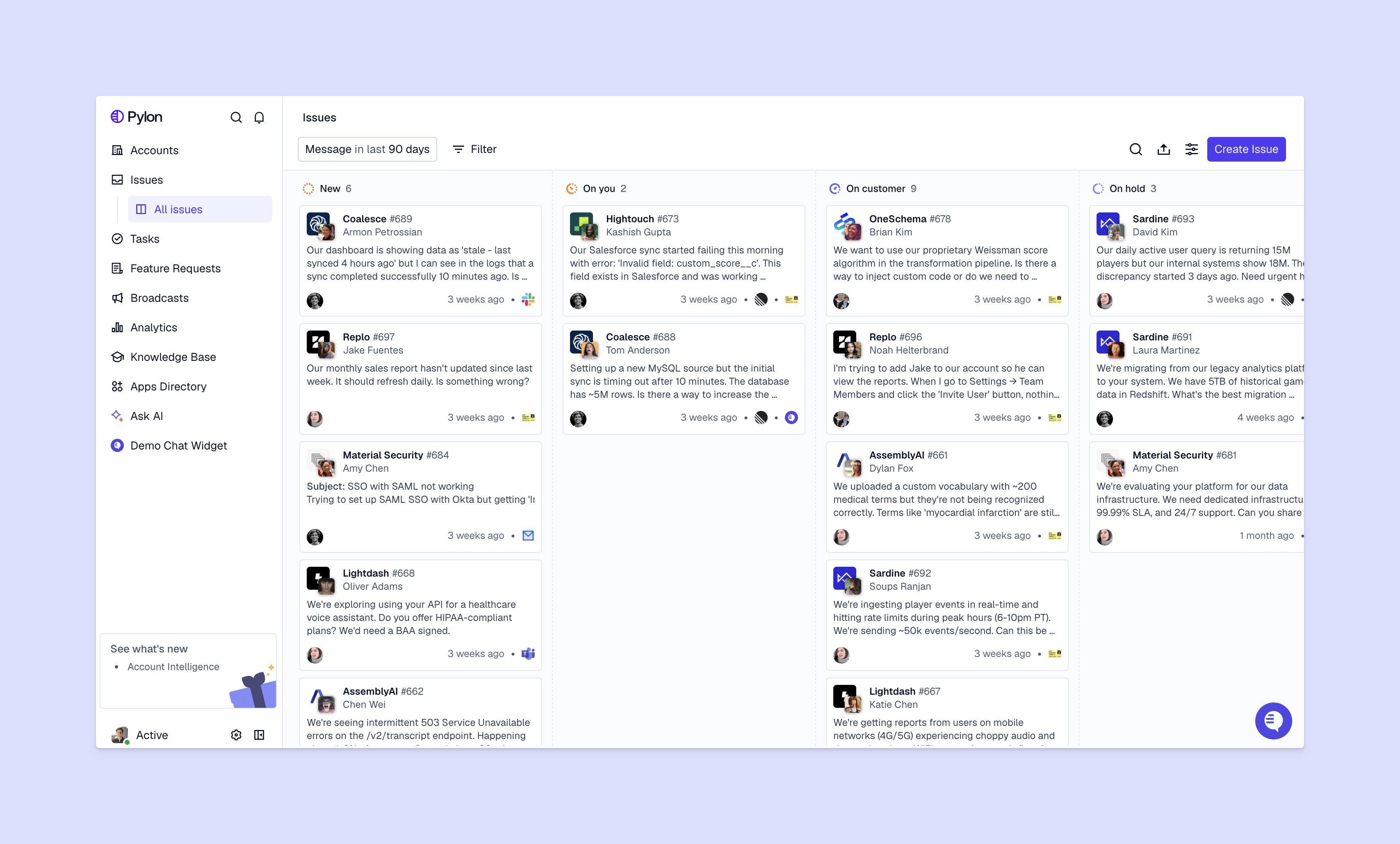
Multilingual support becomes a differentiator when it's more than just translation — when you're using global customer conversations to understand account-level context and insights.
When all your multilingual support interactions flow into one system, you can quickly spot patterns that predict churn, identify which features customers actually want, and understand account health across a global customer base. That's where platforms that are built for B2B support teams, like Pylon, create value beyond basic AI translation.
Pylon is the modern B2B support platform that offers true omnichannel support across Slack, Teams, email, chat, ticket forms, and more. Our AI Agents & Assistants automate busywork and reduce response times. Plus, with Account Intelligence that unifies scattered customer signals to calculate health scores and identify churn risk, we're built for customer success at scale.
Modern AI translation can be highly accurate for support conversations, if you train it on your team's technical terminology and context. The quality will ultimately depend on the training data you give AI and its ability to handle industry-specific language, so you'll want to test it with real customer conversations before committing.
Yes, advanced platforms let you customize translations to match your brand tone and terminology. You can often also create glossaries of preferred terms and phrases that will translate consistently across languages.
Most platforms support languages like Spanish, French, German, Portuguese, Japanese, Chinese, and Korean. But enterprise platforms with AI-powered translation typically offer coverage for hundreds of languages.
Implementation typically takes anywhere from a few days to a few weeks, depending on your existing support stack and how many integrations you need. Platforms with native integrations for tools like Slack and Teams can be set up within a week, while custom integrations or complex workflows might take longer.
Pylon Workforce Management is available now. See it in action with a live demo.


