


Updated February 13, 2026 | 12 min read
Your product has been down for an hour, and you need to update hundreds of your customers on what's happening. Or you finally shipped a feature everyone's been asking for, and you want to tell your accounts all at once. Sending individual emails or Slack messages would take days.
Bulk emails and Slack messages (sometimes called "broadcasts") let support teams reach hundreds or thousands of customers simultaneously with proactive updates on outages, maintenance, or product changes.
We'll walk through how to build your audience list, choose a support platform with broadcasting capabilities, avoid common deliverability mistakes, and track key engagement metrics.
Broadcasts are proactive messages that you send in bulk, to multiple recipients at once. For support teams, this typically means letting hundreds or thousands of customers know about product updates, service changes, or important account information.
Individual support emails or Slack messages solve one customer's specific problem: You're pulling context from their account, referencing their specific issue, and writing a unique response. Mass emails and messages work differently. You're sending the same update to many customers at once, though with some support platforms, you can use variables to personalize details like account names.
The key difference comes down to intent. One-to-one emails and support responses answer questions that are specific to a customer's setup — in reaction to an issue or problem they've reached out about. Broadcasts proactively share information that applies to many accounts.
Creating your first bulk email or Slack message involves more than just hitting "send" to a long list of accounts or channels. When you have a proactive update you need to broadcast, here's the complete process in a platform like Pylon.
In Pylon, you'll start by deciding whether to send your broadcast via email, Slack, or Teams. This means you need to understand where your affected customers prefer to get support — if most of the accounts reach your support team in Slack, you'll want to send the broadcast there to make sure everyone sees it.
Write a clear subject line that tells customers what the email or message is about. "Scheduled maintenance tonight" is a lot more informative than "Important update."
Keep your message concise and front-load the most important information. Use variables to personalize account names if it makes your update clearer.
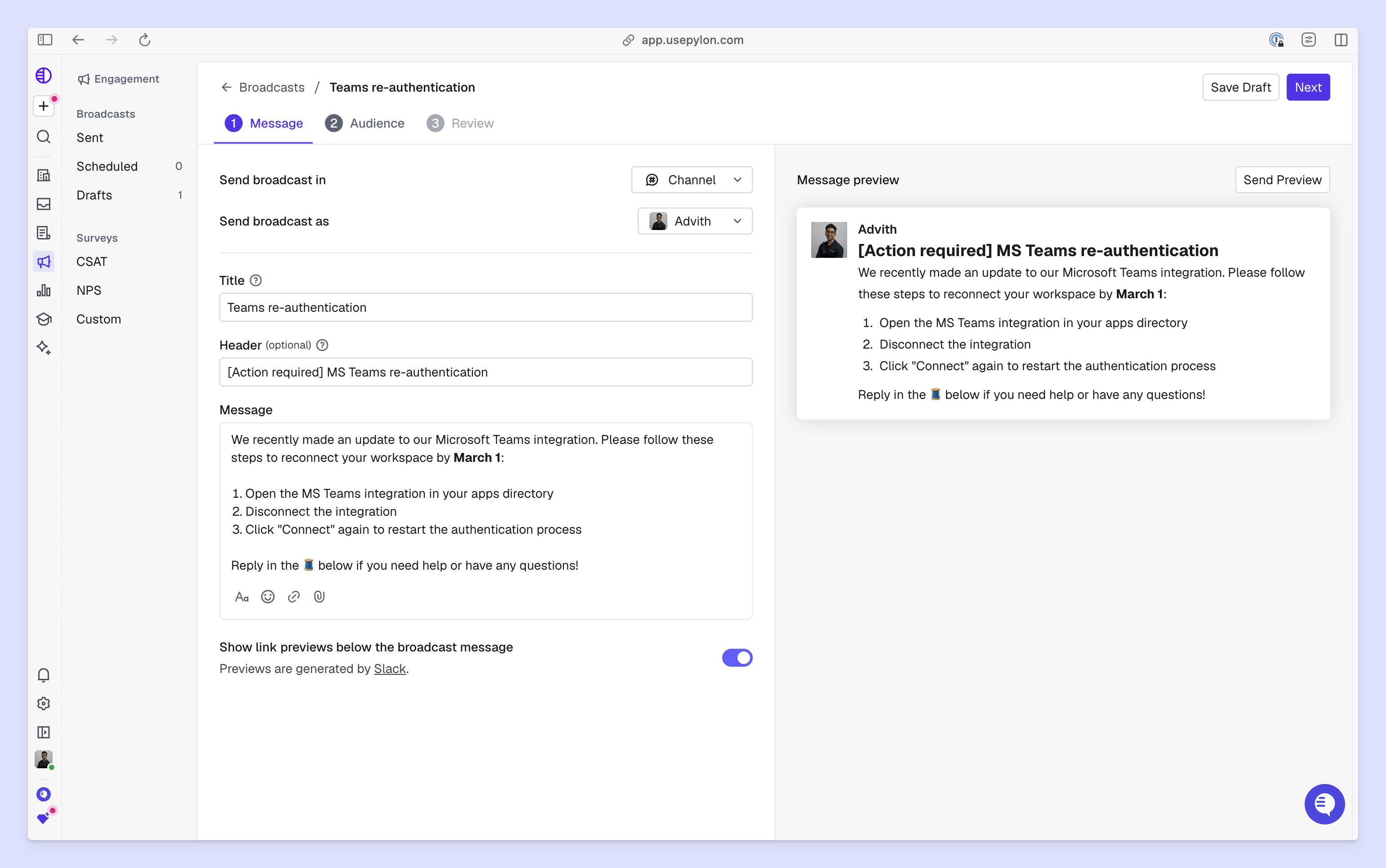
Not every update applies to every customer, so you can filter your audience list depending on your customer segmentation strategy. Maybe certain product launches only apply to accounts who meet criteria like:
If you're announcing a specific enterprise feature, you'd probably segment for enterprise accounts instead of sending the broadcast to your SMB and mid-market customers, too. This keeps broadcasts relevant and prevents inbox fatigue, following B2B service best practices.
In Pylon, you can use custom account fields to filter down your audience.
Send a preview of the mass email or Slack message to yourself before broadcasting it to customers. Check that variable fields populate correctly, links work, and the formatting displays properly in email or Slack.
Schedule your bulk send for times when your customers are typically online, and watch for any immediate issues or questions.
Pylon shows you real-time engagement metrics (link clicks, reactions, and replies) so you can spot problems quickly. Plus, since the platform has native customer support automation tools, any replies to a Slack broadcast become issues you can easily track and respond to.
When you're sending bulk emails or broadcasts, here are some best practices to keep in mind. These will help you optimize messages so customers actually read and engage with them — especially when you have critical updates to share.
To build stronger customer engagement, use variable fields to personalize account names in a bulk message if it makes the broadcast clearer.
If you can, for non-critical updates, send broadcasts during business hours in your customers' time zones. Mid-morning on weekdays typically performs best. Avoid late nights, early mornings, or weekends when customers are less likely to be online.
If your customer base spans multiple time zones, consider segmenting by region.
In platforms like Pylon, account metadata (like custom account fields and tags) are the way you filter your broadcast audience. For example, you might choose to send a broadcast to customers who are marked as paying for your Pro plan.
So to make audience filtering easier, make sure account details are up to date and accurate — so broadcasts get sent to the right customers.
We've discussed how to send broadcasts in a support platform like Pylon, but now let's cover all the tools that can handle bulk message in email or Slack.
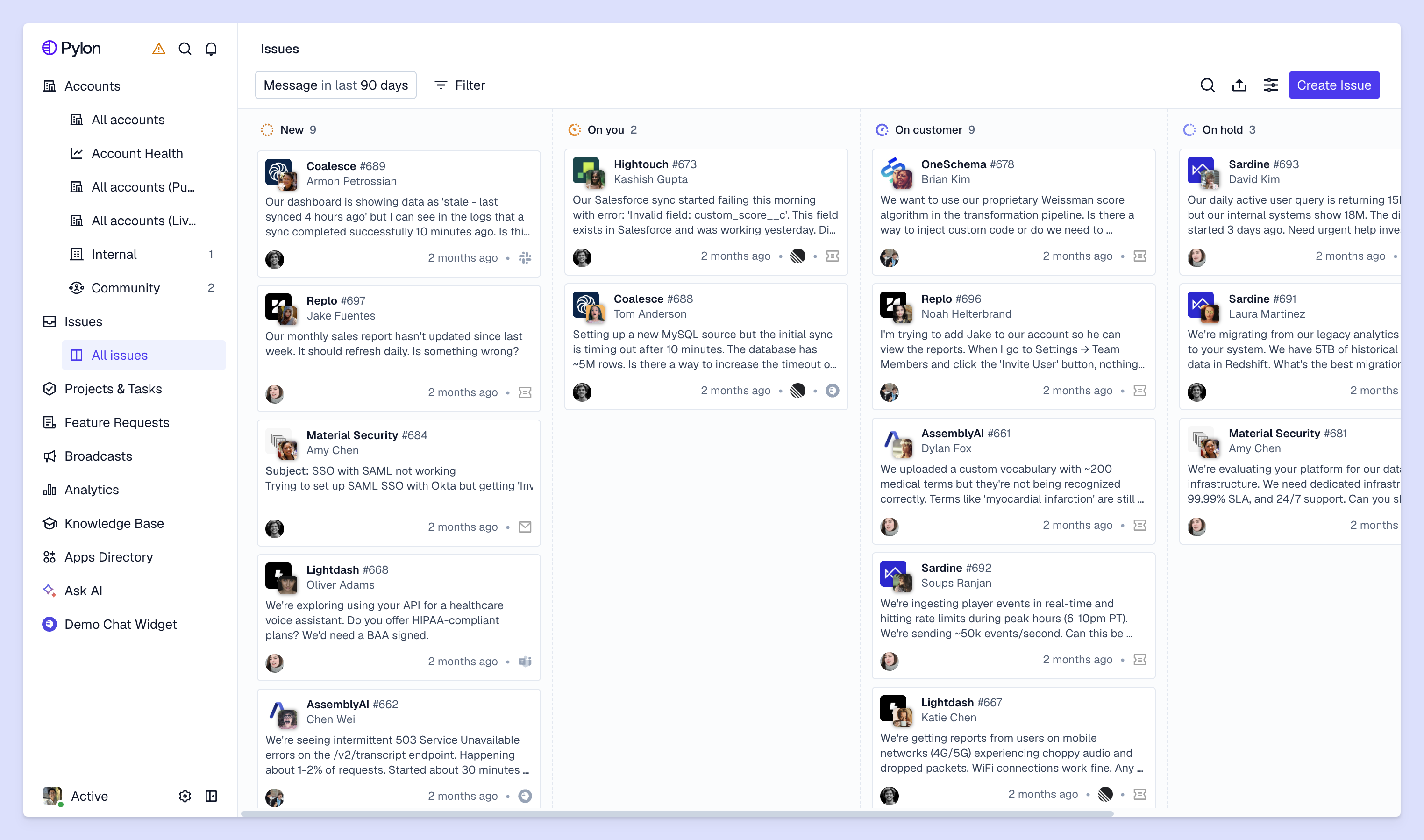
Some modern customer support platforms — like Pylon — include built-in broadcast capabilities that let you send bulk emails, Slack messages, or Teams messages, directly where you manage customer issues and support tickets. This keeps all customer communication in one system instead of switching between tools.
The advantage here is context. When your broadcasts live within your support platform, you can easily use account details to automatically segment your audience and personalize messages. Plus, you can notify customers about feature launches or service updates without leaving your primary workspace.
Email service providers like SendGrid, Mailgun, or Amazon SES specialize in high-volume sending. They handle technical requirements like IP reputation management, bounce processing, and deliverability optimization.
You might choose a dedicated service if you're sending extremely high volumes or need granular control over email infrastructure. However, these tools aren't necessarily built for customer support: They typically require more technical setup and don't integrate with support workflows.
Some support teams end up using marketing tools like Mailchimp or Brevo for customer broadcasts. You typically get pre-built templates, drag-and-drop editors, and detailed analytics dashboards.
But these marketing platforms don't connect to your support system, and they aren't built with customer support in mind. You'll have to manually export lists of contacts and won't have access to account-level data for segmentation.
Once you've sent out a broadcast, tracking the right metrics will help you understand whether customers got value out of your message and how to improve future broadcasts.
Link clicks, replies, and reactions (if you send broadcasts via Slack) are examples of engagement metrics you can track. These indicate whether your content got customers' attention and prompted any action.
Watch for customer replies and support tickets that come in after you send a broadcast. If you get many of the same questions about an outage update, it might mean your message wasn't clear enough or customers need more information.
On the other hand, if you're announcing a feature launch and see positive replies or feature adoption, you'll know the broadcast successfully drove awareness.
If you sent a broadcast about an outage or platform issue, follow up with affected customers through surveys or support conversations afterwards. Did they find it helpful? Did it answer their questions?
Broadcast quality impacts overall customer experience. Poorly timed or irrelevant mass messages frustrate customers, while well-crafted updates build trust.
Broadcasts let support teams proactively communicate product changes, widespread outages, or other updates to customers at scale. With the right tools, you can segment bulk messages to the accounts who need updates — and create support content that helps customers get timely information about their account.
Pylon is the modern B2B support platform that offers true omnichannel support across Slack, Teams, email, chat, ticket forms, and more. Our AI Agents & Assistants automate busywork and reduce response times. Plus, with Account Intelligence that unifies scattered customer signals to calculate health scores and identify churn risk, we're built for customer success at scale.
Pylon Workforce Management is available now. See it in action with a live demo.




