


Updated December 5, 2025 | 12 min read
Customer success software gives B2B post-sales teams a central system to track account health, prevent churn, and manage customer relationships through data-driven insights and automated workflows. They unify scattered customer signals (like support tickets, usage data, and customer conversations) so your team can spot at-risk accounts before they cancel and deliver personalized support at scale.
Choosing the right platform means understanding what customer success software actually does, how it differs from your CRM, and which features matter for teams like yours. This guide walks through the core capabilities, platform categories, and evaluation steps to help you find a customer success tool that fits your team's workflow and goals.
Customer success software helps B2B companies manage relationships with existing customers by tracking account health, preventing churn, and driving retention. The platform acts as a central system where post-sales teams—customer success managers, support specialists, and account managers—can see every customer interaction and health signal in one place.
Think of it as the difference between guessing which customers might leave and actually having the data to predict it. Instead of scattered context across spreadsheets, email threads, and disconnected tools, you get a complete view of each account's health.
These platforms focus specifically on what happens after you sign a customer. Your CRM tracks leads and closes deals. Customer success platforms track onboarding progress, sentiment, support tickets, and renewal health. For B2B teams, this post-sales visibility is directly connected to revenue: higher retention, lower churn, and more expansion from existing accounts.
CRM software and customer success platforms solve different problems for different teams, though many companies use both together. Your CRM manages pre-sales activities, including lead tracking, pipeline management, and deal forecasting. Once a prospect signs the contract, customer success software takes over.
Each system organizes information differently. CRMs organize around opportunities and deals, because sales teams care about closing net new business. CS platforms organize around accounts, health scores, and lifecycle stages because post-sales teams care about helping customers succeed with the product and retaining them.
Here's the breakdown:
Many B2B companies sync data between both systems. But if your post-sales team works primarily in your CRM, they're missing purpose-built features like health scoring, automated playbooks, and customer journey mapping that CS platforms provide.
Customer success software includes several core capabilities that shift your team from reactive firefighting to proactive account management. The right features mean your CSMs get alerts when customers need help instead of discovering problems during last-minute renewal conversations.
Health scores calculate each customer account's overall status by analyzing multiple signals, like support ticket volume, engagement patterns, or conversational data. The platform assigns each account a score, often color-coded as green, yellow, or red. This shows who's satisfied with your product or service, who's at risk, and who's actively churning.
Automated alerts can notify your CSMs when an account's health drops below certain thresholds. A customer who hasn't logged in for two weeks, submitted three support tickets last month, and hasn't adopted your core features could be about to churn. That gives you time to reach out before they officially leave your platform.
Automation handles repetitive tasks that would otherwise eat up your CSMs' time. That can include sending onboarding check-ins, scheduling quarterly business reviews, or triggering renewal reminders before contract end dates. These workflows ensure consistent customer experiences and free your team to focus on strategic conversations and account planning.
The best platforms let you build conditional workflows based on customer segments, lifecycle stages, or health scores. For example, you might automatically assign high-touch onboarding for enterprise accounts, but use self-service resources for smaller customers.
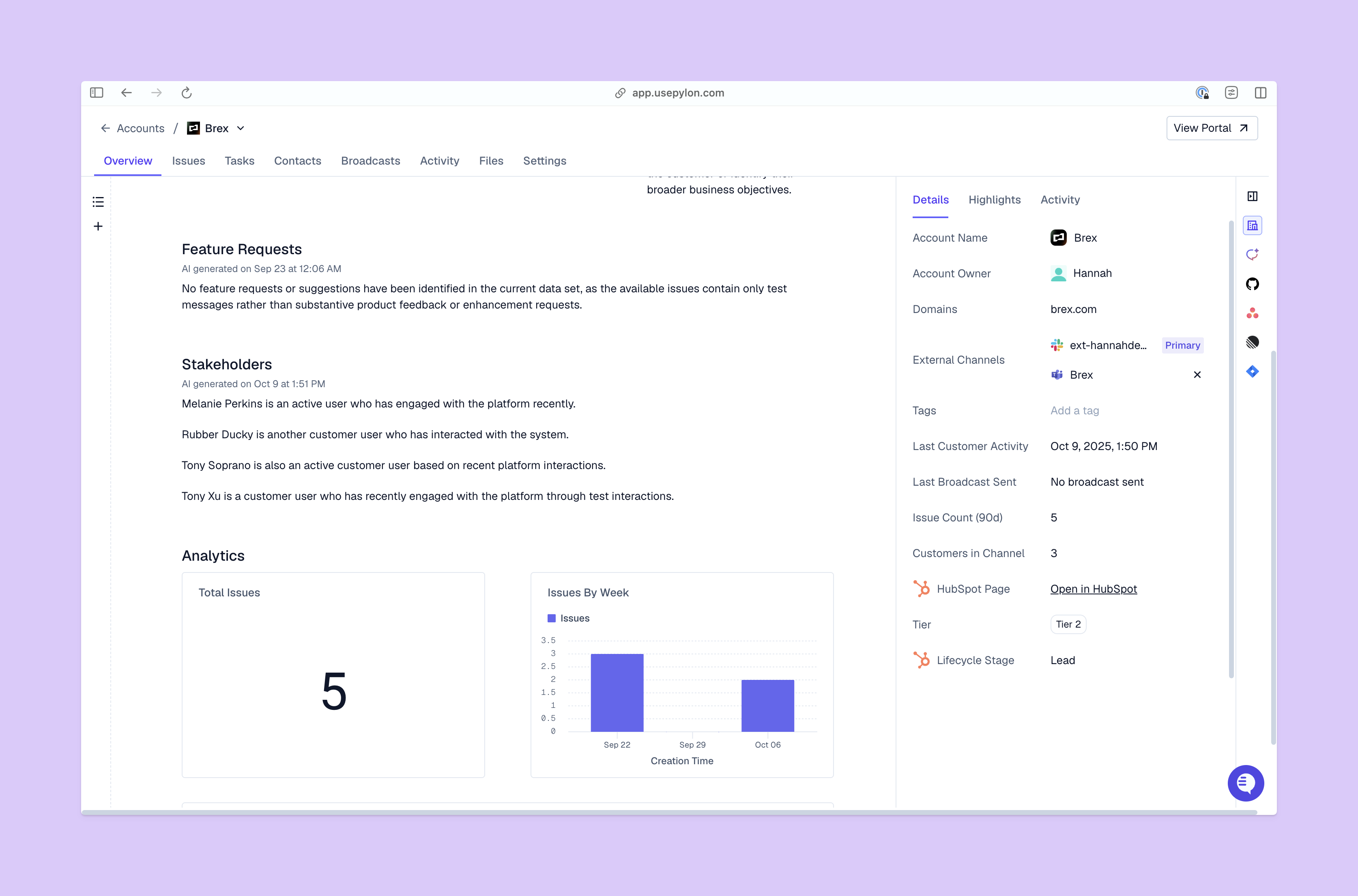
Account-level context means your CSMs see the complete customer 360 in one place: every support ticket, past conversation, sentiment change, contract detail, and team member interaction. Without this unified view, your team wastes time toggling between systems or asking customers to repeat information they've already shared.
This becomes especially valuable during customer calls or renewals. Your CSM can reference specific support issues, acknowledge recent product adoption wins, and tailor their approach based on the customer's actual experience instead of generic talking points.
Modern B2B customers don't just use email. They communicate through Slack channels, Microsoft Teams, in-app chat, support tickets, and video calls. Customer success platforms with omnichannel support help your team meet customers where they already work, while tracking all conversations in one place.
This is especially important in B2B, because buying decisions usually involve multiple stakeholders. Maybe your champion prefers Slack, but their manager wants email updates and their technical team submits tickets through your help center. Omnichannel platforms make sure nothing falls through the cracks.
Customer success software should connect with your existing tech stack, like CRMs for account data or product ticketing platforms for cross-functional collaboration. These integrations eliminate data silos and create a connected system where customer context is unified in one place.
Without proper integrations, your team manually exports CSVs, copy-pastes data between systems, or works with incomplete information. Native integrations mean your health scores update in real-time based on ongoing customer conversations and your support tickets automatically feed into account timelines.
Different customer success companies build for different market segments, team sizes, and use cases. Understanding the categories helps you narrow your search to platforms designed for teams like yours.
Enterprise platforms serve large customer success organizations with complex requirements: hundreds of CSMs, thousands of accounts, custom health scoring models, advanced automation.
Gainsight is one of the legacy tools in this category, with comprehensive account features and customization capabilities. But there's a trade-off in implementation time and complexity. You're looking at 3-6 month setup, dedicated administrators, and higher budgets.
It can work for traditional Fortune 500 companies or legacy SaaS businesses, but many teams will find the platform overwhelming: too many features, too much configuration, and too slow to get value.
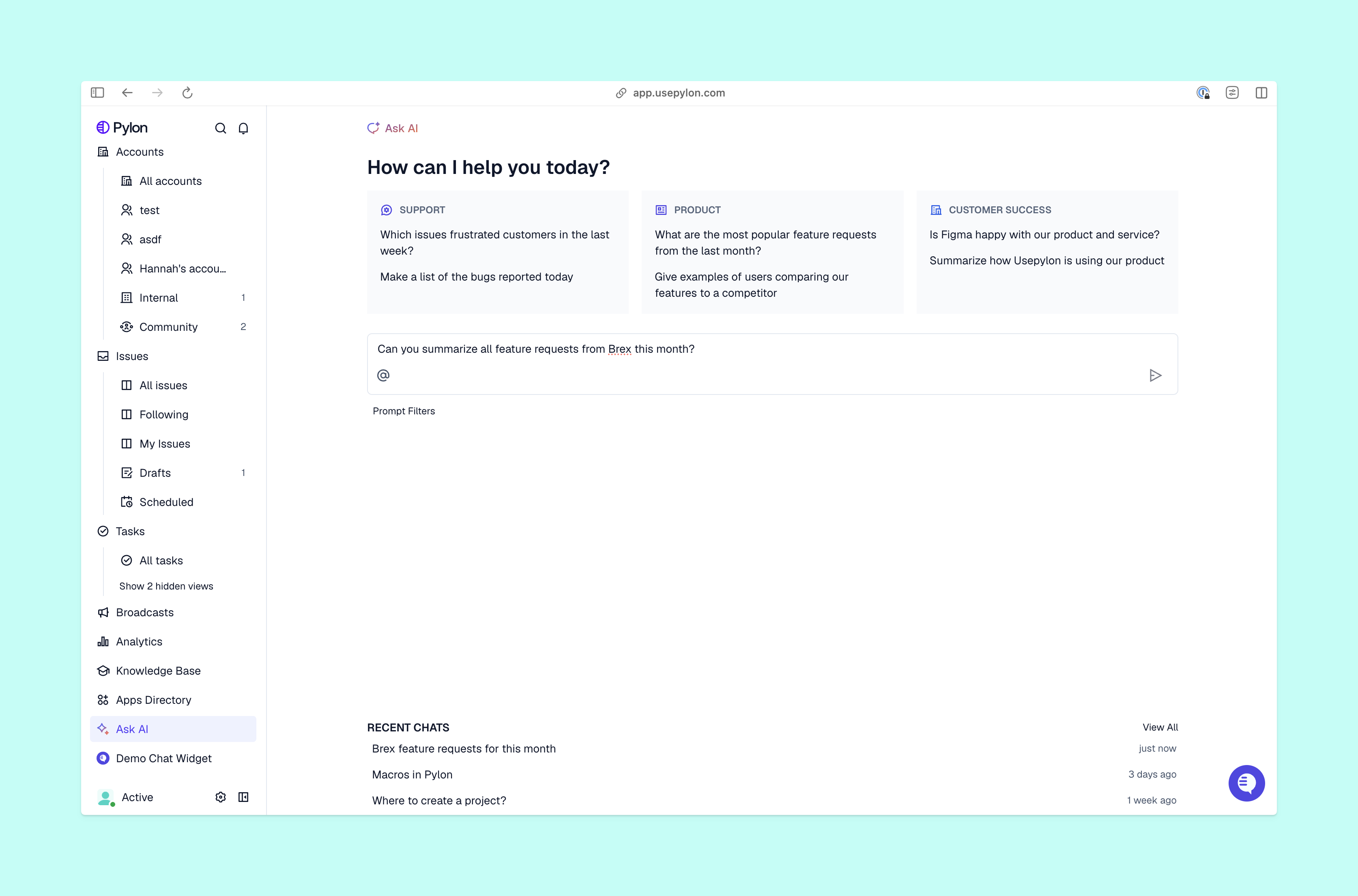
Pylon is an alternative for teams that want enterprise-grade capabilities without enterprise complexity. We combine support and customer success in one system with faster implementation. Account Intelligence brings together data across support interactions, call recordings, and product usage to give you a complete customer 360—and AI automatically helps you identify and act on those customer signals.
Mid-market platforms balance functionality with usability, designed for growing B2B companies with CS teams of 10-50 people. ChurnZero, Planhat, and Totango are in this category with core features like health scoring, automation, and analytics.
Implementation typically takes 4-8 weeks and works well for companies with $10M-$100M in revenue. You get enough sophistication for mature CS processes while remaining accessible for teams that don't have full-time CS operations specialists.
Pylon also works well for this segment, especially for teams that want to unify their support and customer success operations instead of managing separate systems. Our Account Intelligence features and omnichannel support platform give mid-market teams enterprise-level capabilities.
Modern customer success platforms prioritize speed, automated workflows, and helping your team exponentially scale your post-sales operations. For example, Pylon combines your customer success and support operations in one system. AI-powered workflows help you automate ticket routing, draft issue responses, and personalize support for each customer; Account Intelligence can automatically calculate health scores, track sentiment, and flag churn risk from unified customer signals.
These modern CS tools usually take days or weeks to set up, instead of months. They're designed for teams that value getting started quickly above overly complex customization, and they work especially well for companies who need to consolidate their fragmented post-sales tools.
Choosing the right platform requires a structured approach. You're making a decision that will impact your entire post-sales organization for years, so it's worth taking the time to evaluate systematically.
Start by documenting how your team currently manages customers from onboarding through renewal. Write down specific pain points: maybe customer data lives in five different tools, or your CSMs spend hours each week manually updating spreadsheets, or you can't spot at-risk accounts until they're already churning.
This process map reveals what capabilities you actually need instead of what sounds impressive in product demos. You might discover that automated workflows matter more than advanced analytics, or that Slack integration is non-negotiable because that's where your customers already communicate.
Based on your process map, separate must-have capabilities from nice-to-have features. Must-haves solve your biggest problems or enable critical workflows. If you can't effectively do your job without it, it's a must-have.
Your list might include must-haves like health scoring, Slack integration, and CRM sync, while advanced reporting and custom dashboards fall into nice-to-have territory. This clarity prevents you from choosing platforms based on impressive features you'll never actually use.
Research customer success platforms that offer your must-have features using comparison sites like G2 and Gartner. Look at customer reviews from companies similar to yours—same industry, similar team size, comparable use cases. Pay attention to complaints about implementation time, ease of use, and customer support quality.
Create a simple comparison table to track how different platforms stack up:
| Feature | Platform A | Platform B | Pylon |
|---|---|---|---|
| Health scoring | ✓ | ✓ | ✓ |
| Slack integration | ✕ | ✓ | ✓ |
| AI automation | ✕ | ✕ | ✓ |
| Unified support + CS | ✕ | ✕ | ✓ |
| Implementation time | 3-6 months | 6-8 weeks | 1-2 weeks |
Look beyond the monthly or annual price to understand true costs. Are there implementation fees, training time, ongoing maintenance, and administrator resources?
Some platforms require dedicated customer success specialists or admins just to keep them running, while others are self-service.
Consider the value you'll get from reduced churn, improved retention rates, and CSM efficiency. If the platform helps you save just 2-3 at-risk accounts per year, it likely pays for itself.
Before committing to a multi-year contract, test the platform with a small team or subset of accounts. Check whether it actually fits your workflow, whether your team will adopt it, and whether implementation is as smooth as promised.
Pay attention to how quickly you can get started and how intuitive the interface feels. If your team struggles during the trial period, they'll struggle even more after you've invested in full implementation.
Successful implementation requires planning beyond signing the contract. The phases below determine whether your platform becomes your team's central system or another abandoned tool.
Import customer data from your existing systems: CRM records, support ticket history, product usage metrics, and any spreadsheets your team maintains. You'll map data fields from old systems to new ones, clean up duplicate records, and configure initial health scoring rules based on the signals that matter for your business.
Some platforms make this easier than others. Look for tools with guided setup, pre-built templates, and strong import and sync capabilities. Pylon's implementation typically takes 1-2 weeks because we've streamlined data migration and provide hands-on support to your team during setup.
The best customer success software only works if your team actually uses it. Plan training sessions that show CSMs how the platform makes their jobs easier. Don't just focus on feature demonstrations, show real workflows they'll use daily.
Create documentation they can reference later, and identify power users who can help others troubleshoot questions. Look for platforms with intuitive interfaces that reduce training time. If your team needs weeks of training to perform basic tasks, adoption will suffer.
Connect your customer success platform with tools your team uses daily (your CRM, data warehouse, communication tools, etc.). The integrations create your unified system of record where all customer signals come together.
Without proper integrations, your team has to manually transfer data between systems or works with incomplete information. Pylon offers native integrations with CRMs, data warehouses, call recorders, and communication platforms like Slack or Teams, so your support tickets inform customer health scores and your customer conversations inform how you provide personalized support.
CRM software manages pre-sales activities like leads, opportunities, and deal pipelines for sales teams. Customer success software manages post-sales activities like onboarding, adoption, retention, and renewals for existing customers. Many companies use both systems with integrations that sync account data between them.
Pricing varies widely based on team size and features. It could be anywhere from $50-$200 per user per month to custom enterprise pricing for large organizations. Some platforms also charge based on the number of customer accounts you manage. Factor in implementation costs, training time, and ongoing maintenance when calculating total cost.
Many modern customer support and success success tools offer native integrations with Slack and Teams, so your CSMs can communicate with customers directly from those channels while automatically tracking conversations in your central platform. Pylon specializes in native omnichannel support across Slack, Teams, email, chat, tickets, and more—all unified in one platform.
The most effective approach treats your customer success platform as the central hub for all post-sales operations. When support tickets, customer conversations, product usage, and success metrics live in one place, your entire team has the context they need to deliver exceptional customer experiences.
Traditional approaches separate support tools from customer success platforms, so your teams are forced to context-switch and manually connect the dots. Unified platforms help you spot churn risk earlier because you're analyzing complete customer signals instead of fragmented data. Your support team sees the full account history before responding to tickets, and your CSMs understand recent support issues before quarterly business reviews.
This is Pylon's core perspective: We believe your support and CS teams work better together when they share a system instead of operating in silos.
Pylon is the modern B2B support platform that offers true omnichannel support across Slack, Teams, email, chat, ticket forms, and more. Our AI Agents & Assistants automate busywork and reduce response times. Plus, with Account Intelligence that unifies scattered customer signals to calculate health scores and identify churn risk, we're built for customer success at scale.
Pylon Workforce Management is available now. See it in action with a live demo.




