Conversational automation for scaling high-volume B2B support
Learn how conversational automation helps B2B teams manage high-volume inquiries, streamline responses, and maintain fast, consistent support at scale.
Advith Chelikani
April 2, 2026
Conversational automation helps you give B2B customers quick responses and personalized service around the clock while taking pressure off your support team.
As conversational AI has improved, this kind of automation has become an increasingly important strategy for B2B support teams. Three-quarters of customer experience (CX) leaders believe that 80% of customer interactions will be resolved entirely by conversational AI systems in the next few years.
In this guide, we’ll walk through what conversational AI is and how it can streamline your support operations and improve CX. We’ll also cover practical strategies to help your support team use conversational AI for the best results.
Scaling support with conversational AI
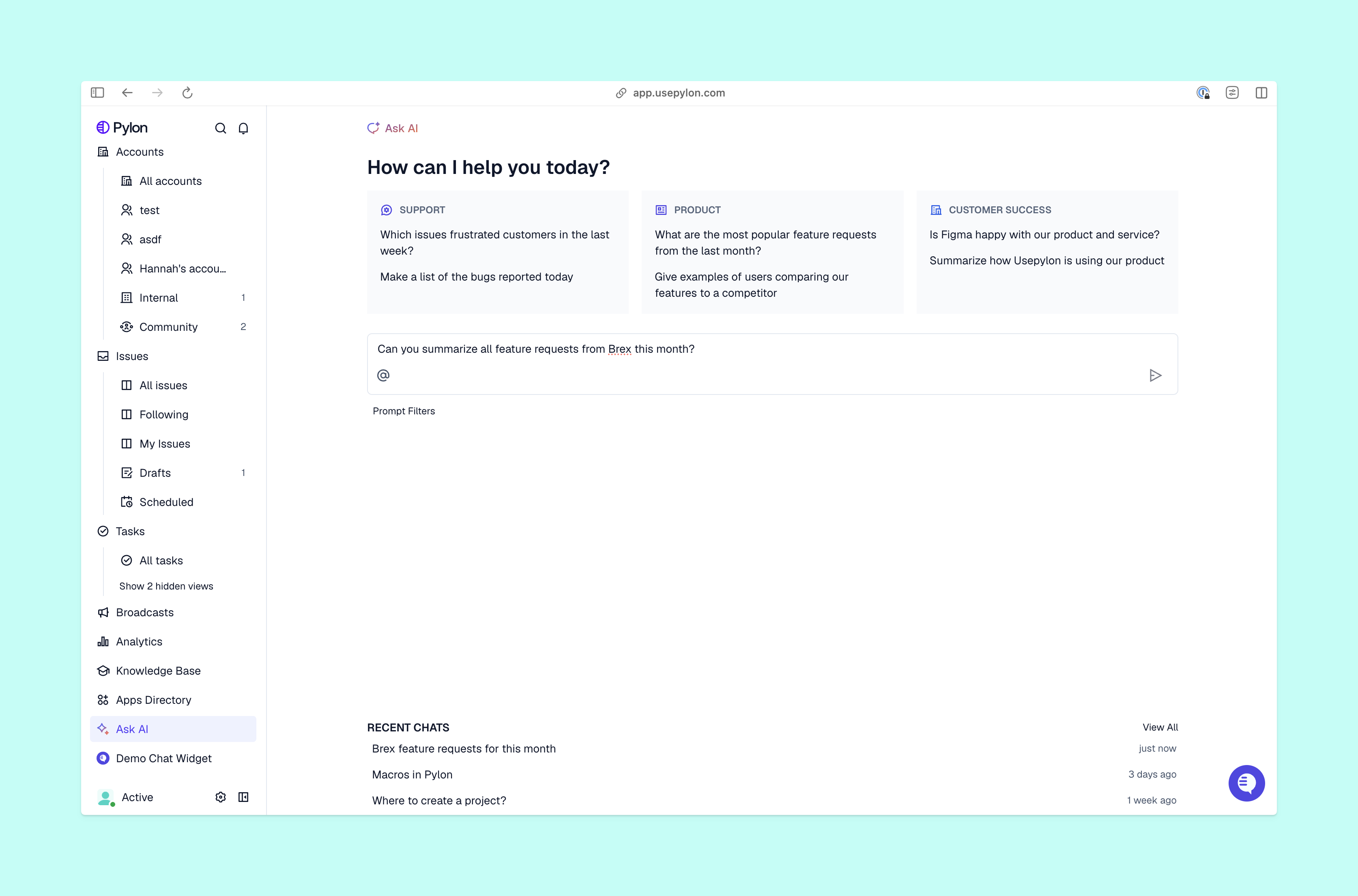
Pylon Ask AI Dashboard
You can help your customer support team handle more requests as your company grows — without needing to proportionally increase your team size — by using artificial intelligence conversation tools. Research suggests 90% of CX leads report a positive ROI after implementing tools like AI agents and chatbots.
Here are some situations where conversational AI could save your team resources while still offering great service:
Automating repetitive requests. A SaaS company uses conversational automation in an in-app chat widget to answer common questions and do basic troubleshooting, like error message resolution. Customers can get their questions answered instantly at any point, so they pass on fewer tickets to the customer support team. Those lower ticket volumes mean the team can offer faster response times at a lower cost per ticket.
Proactive onboarding automation. A B2B SaaS company improves its onboarding process with automated check-ins and personalized tips powered by conversational AI. The extra guidance reduces how often customers need to contact customer support while still feeling connected to the company and adopting their software.
Smart routing and prioritization. A software vendor uses conversational AI in live chat to gather more information about customer concerns, prioritize them, and route them to the right team member for resolution. The new process improves efficiency and SLA compliance.
Common high-volume request types
Conversational AI can address FAQs and frequent requests to free your team for more complex tasks. Examples of these requests include:
Pricing information. Prospects often ask about pricing, and existing customers may ask what’s included in their plan or the added cost for upgrades. Conversational AI can easily answer these questions.
Product features. When a customer asks what your product can do, automated responses from virtual assistants can answer with a script.
Basic troubleshooting. A conversational AI system can easily walk customers through the steps to fix common errors or route rarer and more complicated issues to your team.
Contract, billing, or invoice questions. As long as an AI agent has access to your operational systems, status updates, account requests, and invoice questions are very simple for it to answer.
Onboarding and setup guidance. A lot of questions come up during the onboarding process. Conversational AI can give customers usage tips and help them overcome common blocks to get started faster.
Documentation or resource requests. Conversational AI is great for giving customers instant access to product manuals, training handouts, and other materials they need.
Status updates on requests or tickets. When your team is handling an issue that needs input from others, conversational AI can automatically give the customer updates so your team can focus on faster resolution.
Designing automated conversation flows
To get the most out of conversational AI, it needs to be designed with purpose and clear logic. Use these tips to set up great CX-focused conversational AI:
Understand customer intent. Analyze support tickets to find your most common ticket patterns, like API questions or product troubleshooting. Make sure the AI agent has access to all the context it needs to answer those questions.
Use advanced language processing. Find a solution that goes beyond a traditional chatbot’s simple decision trees. It should use natural language processing (NLP) and natural language understanding (NLU) to create interactions that feel authentic, not like a conversation with artificial intelligence. A majority of consumers (64%) report trusting AI agents more in conversation when they display human-like traits including friendliness and empathy.
Set escalation guidelines. Customers need to be able to reach your support team quickly and easily when conversational automation can’t resolve their issue. The AI agent should route complex issues to the right team for resolution.
Customize conversation flows. Personalization and multi-step resolution options makes automation work well for customer support. Your AI should use different responses and language for specific user roles, for example.
Optimize the interface design. Keep the automation’s design simple and easy for customers to use. It should include omnichannel support for interactions across multiple channels like Slack, live chat widgets, or email.
Integrating conversational AI with existing support systems
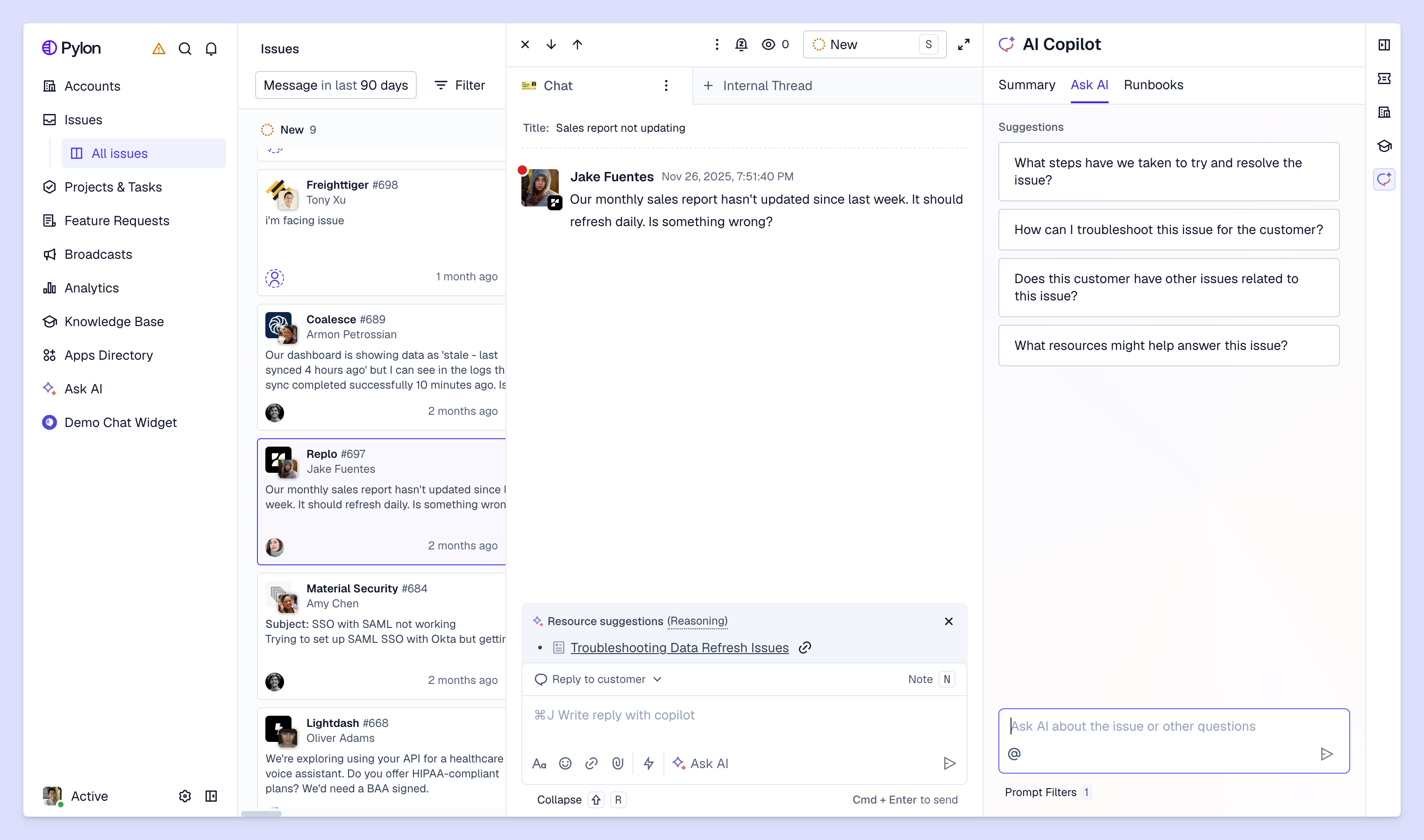
Pylon Issue View With AI Copilot
A simple chatbot can only give pre-scripted answers based on basic rules. A modern AI agent can understand your customer’s intent even if they don’t say a specific keyword, then create a ticket about the interaction, update your customer support platform with details about what happened, and log sentiment based on the messages’ tone.
To do all of that, a conversational AI tool needs full access to your ticketing and support systems, plus a full history of customer interactions. And without well-defined workflows, it won’t know when to escalate to your team, and it may frustrate customers by missing the nuance in complex, multi-step B2B requests.
Integration is essential for conversational AI in customer support. It lets an AI agent move beyond answering questions and take action to resolve customer issues quickly. Here are some examples of successful B2B conversational AI integrations:
CRM integration. The AI agent can identify renewal or churn signals from conversations, log them in the CRM, and alert account owners so they can monitor the relationship.
Help desk synchronization. Conversational AI scans help desk conversations and creates tickets from them, then prioritizes and routes them to the right team members for resolution.
Knowledge base connection. The AI agent scans and summarizes knowledge base articles to answer specific questions faster than they would’ve found them, and can answer follow-up questions if necessary.
Internal communication tools. A customer uses the term “ASAP” when describing an issue they’re experiencing, and conversational AI picks up that the request is urgent. Because it’s integrated with the internal Slack messaging system, it sends an alert to key team members and managers that includes the full context to help them tackle the issue quickly.
Monitoring performance and improving accuracy
After your conversational AI system is up and running, you’ll need to track how well it’s performing to improve it. There should always be human oversight to make sure your conversational AI acts consistently across all your channels and systems, and customers receive the level of support they expect.
Engagement rate: How often customers use your AI agents or other conversational AI systems and how much they interact with them.
You can use this customer feedback to continuously refine your tool so you can meet customer needs more reliably and empathetically over time.
Build a smarter support strategy with conversational AI
Thanks to rapid advances in machine learning and NLP, conversational AI can take care of more customer interactions than ever for B2B support teams. You save time and can offer large-scale support without a massive team, and your customers enjoy fast, accurate answers whenever they need them. By adopting a support platform that comes with conversational AI built in, you can streamline your workflows and provide better service for everyone.
Pylon is the modern B2B support platform that offers true omnichannel support across Slack, Teams, email, chat, ticket forms, and more. Our AI Agents and Assistants automate busywork and reduce response times. Plus, with Account Intelligence that unifies scattered customer signals to calculate health scores and identify churn risk, we're built for customer success at scale.
How long does it typically take to implement conversational automation?
Implementation timelines vary based on complexity, but many teams can launch an initial automated workflow within a few weeks by starting with a focused use case and expanding over time.
What teams should be involved in deploying conversational automation?
Successful deployments usually involve pre and post-sales teams to ensure workflows align with processes, systems, and customer expectations.
How can I maintain conversational automation over time?
Ongoing maintenance includes reviewing conversations, updating knowledge sources, refining workflows, and monitoring performance metrics to keep responses accurate and relevant.
Built for Modern B2B Support
Resolve issues faster, strengthen relationships, and uncover opportunities across every customer interaction.