


When your support team handles complaints well, customers tend to stick around. Even if they have problems, they know they can trust your team to care about their needs and respond with meaningful fixes.
In this guide, you’ll learn about customer complaint management and why it matters for B2B customer success. We’ll also explain how to create a prevention plan that cuts down on those complaints in the first place.
Complaint management is the process your team goes through to handle a customer problem. Good complaint management builds trust, which is extra important for B2B teams trying to form long-term relationships with customers.
Here’s what great complaint management looks like:
Customer complaint management matters because it:
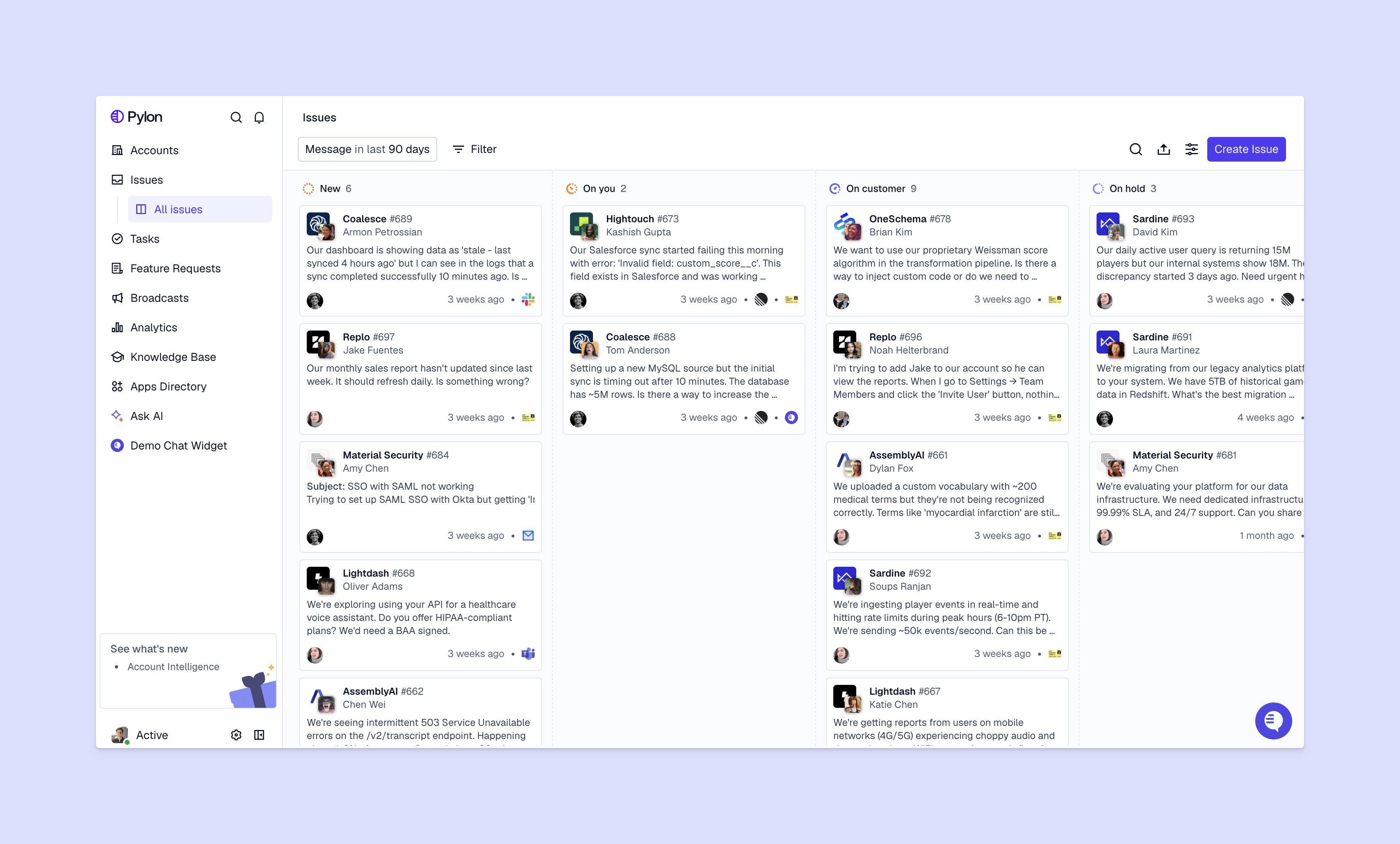
Here’s how to handle customer complaints well.
When a customer complains, they need to know you heard and understood them. Acknowledge their concern right away — you can use automated replies to do so within minutes. Log the complaint in your support platform, and include all the important details, like the customer’s history and the issue’s timeline.
Consider using an omnichannel support system so you don’t miss any complaints. For example, Pylon brings together customer messages from sources like Slack, Teams, email, chat, WhatsApp, SMS, so you don’t lose complaints and can deal with every issue in the same place.
Example: A customer posts this in your Slack support channel: “We can’t access our account dashboard, and it’s blocking our team.” Your support software responds with a pre-written message: “We received your report and we’re investigating. You’ll hear from us in two hours or less with an update.” The issue is logged with high priority, tagged with the customer’s account, and assigned to a team member.
Train your team to show empathy, and not deflect blame or get defensive. They should listen actively, validate customer experiences, and use language that shows they care about and understand customers’ frustrations. Real attempts at customer connection can defuse tension and set the stage for productive problem-solving.
Example: Your support rep responds: “I understand how frustrating this is, because your team can’t do their work. That’s a critical issue, and I want to get this resolved for you quickly. Let me see what’s happening on our end.”
Miscommunication can take a routine complaint and make the situation worse. Make sure your team asks clarifying questions so they get the full picture.
Then they should restate the problem, along with a simple prompt like “Is that correct?” or “Did I miss anything?” This avoids confusion and gives your team the info they need to solve the issue.
Example: The support rep asks: “Just to make sure I have this right — your team can’t log into the dashboard at all? Or is the problem specific to certain features?”
Some issues are common and simple to fix; others need some time and research. Now that they have all the details from the customer, your team will need to review what customers told you alongside account-level context. Check account history, product usage, past messages, and/or system logs.
With this complete picture, your team can spot connections and patterns that could reveal the root cause. They can also see if the problem affects other customers and needs a large-scale solution.
Example: Your team checks logs and finds that a recent API update caused data sync failures. And thanks to your omnichannel complaint management software, you see that 3 other customers reported similar issues in the past week.
After your investigation, check back with the customer. Explain what went wrong, and be transparent about the steps you’ve taken and what you plan to do next.
The goal is to exceed expectations and leave the customer feeling valued. To do that, give the customer a clear fix and follow up until you’re sure they’re satisfied. Finally, if other customers could be affected by the same problem, try to resolve it before they need to complain.
Example: After they fix the problem, your support team messages the customer: “We found the issue — a recent API update caused some sync failures. We’ve deployed a fix and your dashboard should now be fully functional. We’ve also applied a service credit to your account for the downtime. Can you confirm that everything is working on your end?”
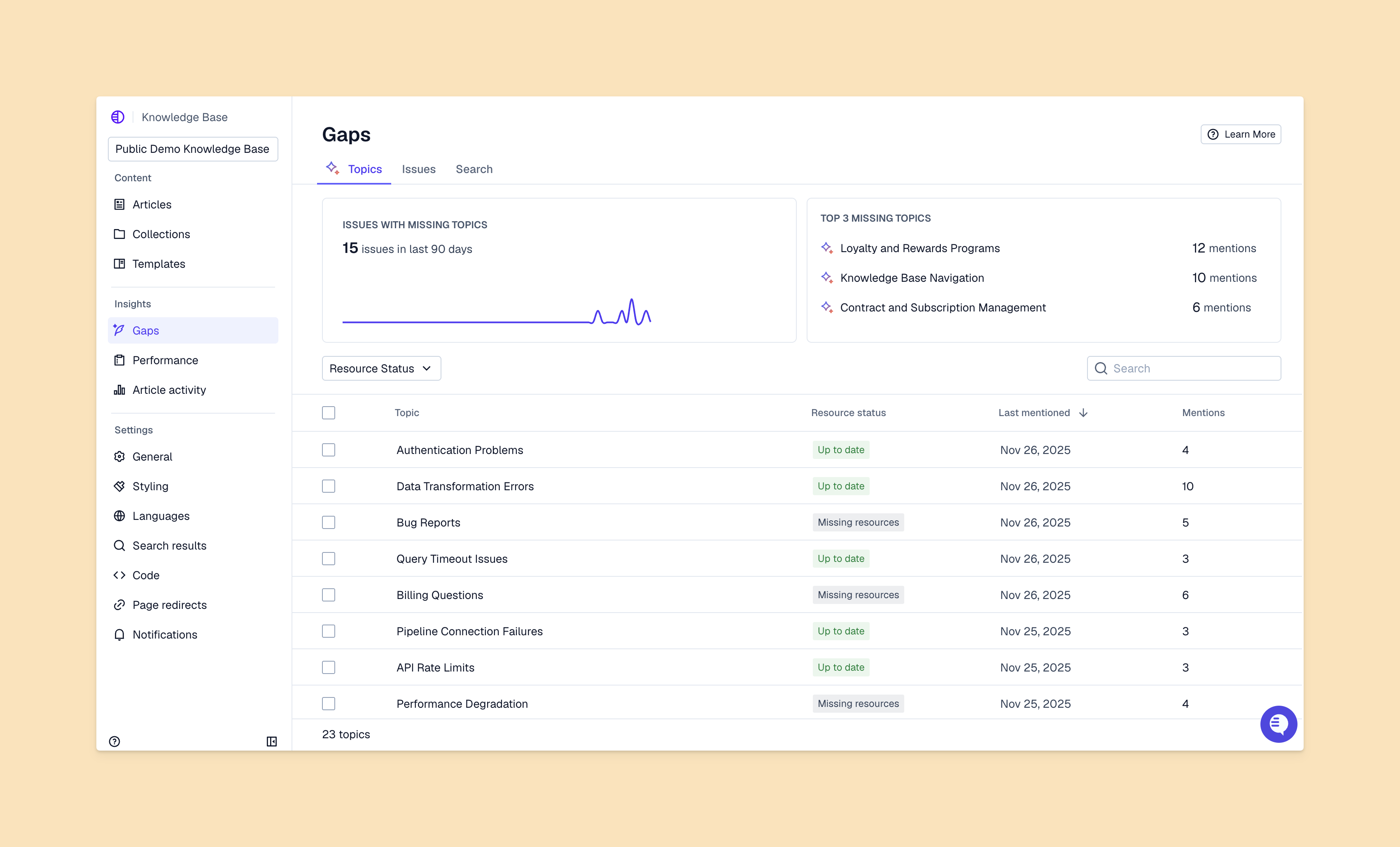
Most companies treat complaints as individual problems, but a lot of those problems reveal patterns you can learn from to prevent future issues. Here are some ways to take action based on complaints.
To turn common questions into solutions, follow this process:
Complaint → Investigation → Root cause → Knowledge article → Self-service solution
For example, if customers have trouble resetting their passwords, you can figure out why they’re confused and turn the solution into a knowledge base article. Other customers can then self-serve and not create more tickets for your team.
Pylon’s AI knowledge management automatically turns new issues into articles. You just have to document problems once, so your team can solve them faster next time and customers can find the fix on their own.
If your team pays attention and has the right tools, they can often catch churn before it happens. When you combine complaint data with account health signals, like usage trends and support ticket volume, you can predict which customers are at risk.
Customer sentiment analysis also helps, as this AI tool sorts through customer messages and reports general tones and feelings. If you find sentiment patterns among customers that complained and then churned, you can stop history from repeating.
When you collect complaints in a single place, respond to them fast, investigate them completely, and explore them to find patterns, you create great experiences and encourage customer success. That’s a lot of work, so to keep your team’s workload under control, you’ll want to invest in the right support software.
Pylon is the modern B2B support platform that offers true omnichannel support across Slack, Teams, email, chat, ticket forms, and more. Our AI Agents and Assistants automate busywork and reduce response times. Plus, with Account Intelligence that unifies scattered customer signals to calculate health scores and identify churn risk, we're built for customer success at scale.
It’s about more than just a quick fix. Effective complaint management restores trust, builds long-term loyalty, and provides the raw data needed to improve your product and support operations.
Customers typically voice concerns over product issues, misalignment on pricing, emotional frustrations like poor support, or missing product value that slows down their daily workflows.
Start by listening actively and leading with empathy. Validate their experience, provide a clear and transparent solution, and always follow up to ensure the loop is truly closed.
It’s a unified platform, like Pylon, that tracks every interaction, uses AI to prioritize urgent issues, and streamlines workflows, so your team can act before minor problems become churn risks.
Pylon Workforce Management is available now. See it in action with a live demo.



